Local AI creative studio
Video, images, voice and music. Native AI, on your own machine.
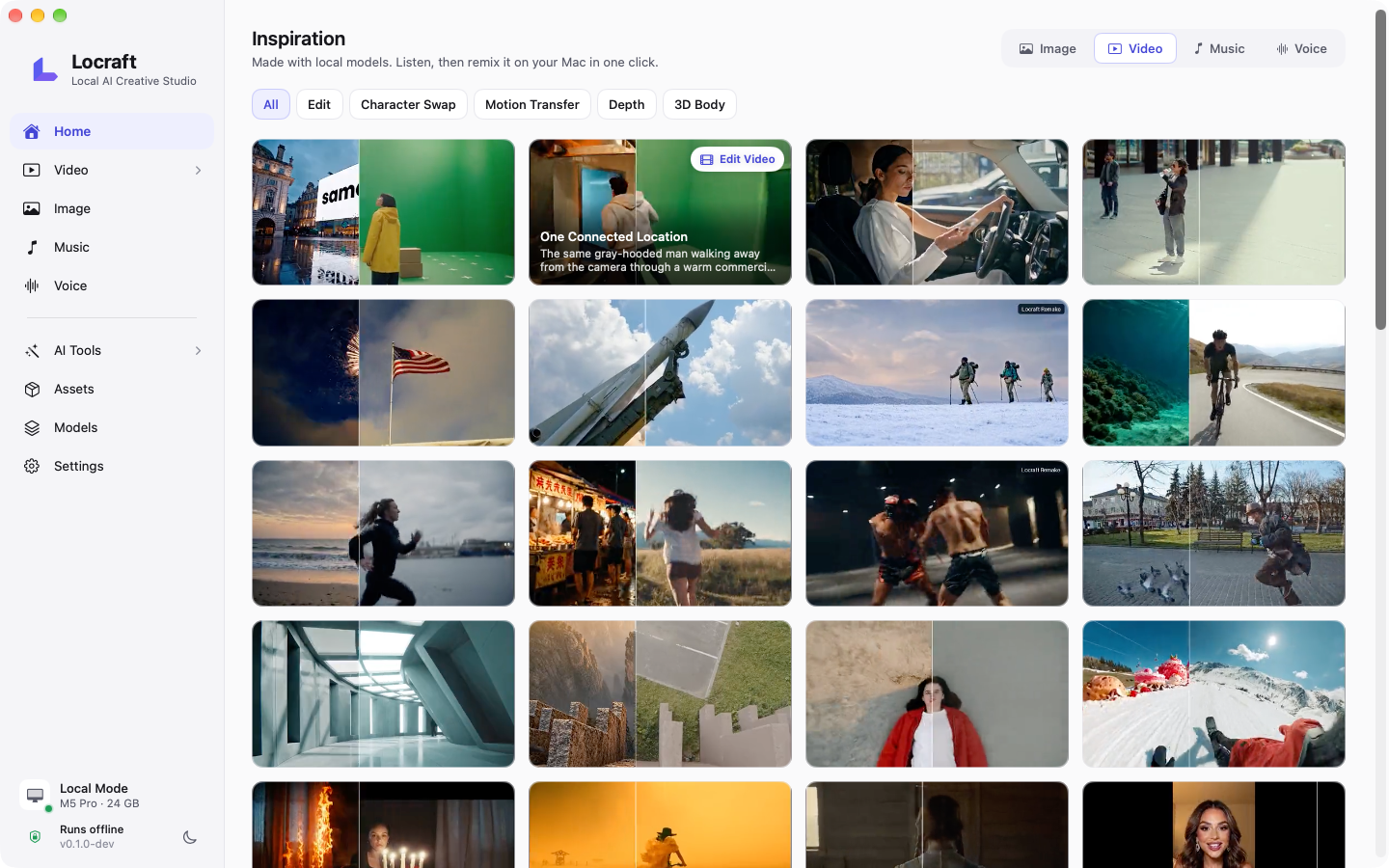
Swap the person in a shot, move a character with someone else's dance, or rebuild the scene around them. Then make the 4K stills, the voice-over and the soundtrack in the same app. Locraft runs on its own native engine: no Python, no ComfyUI, no cloud queue.
- Native engine · no Python or ComfyUI
- About 105 MB to download
- macOS now · Windows & Linux in development
What Locraft is
One desktop studio for AI video, images, voice and music, running entirely on your own computer.
- Native engine No Python and no ComfyUI. Install it like any other app.
- Stays local Prompts, references and results never leave your folders.
- Models on demand Download inside the app, checked, only the ones you use.
- Mac, Windows, Linux macOS in early access. Windows and Linux in development.
Video first. Everything around it, too.
Five studios in one app, each with ready-made templates to start from.
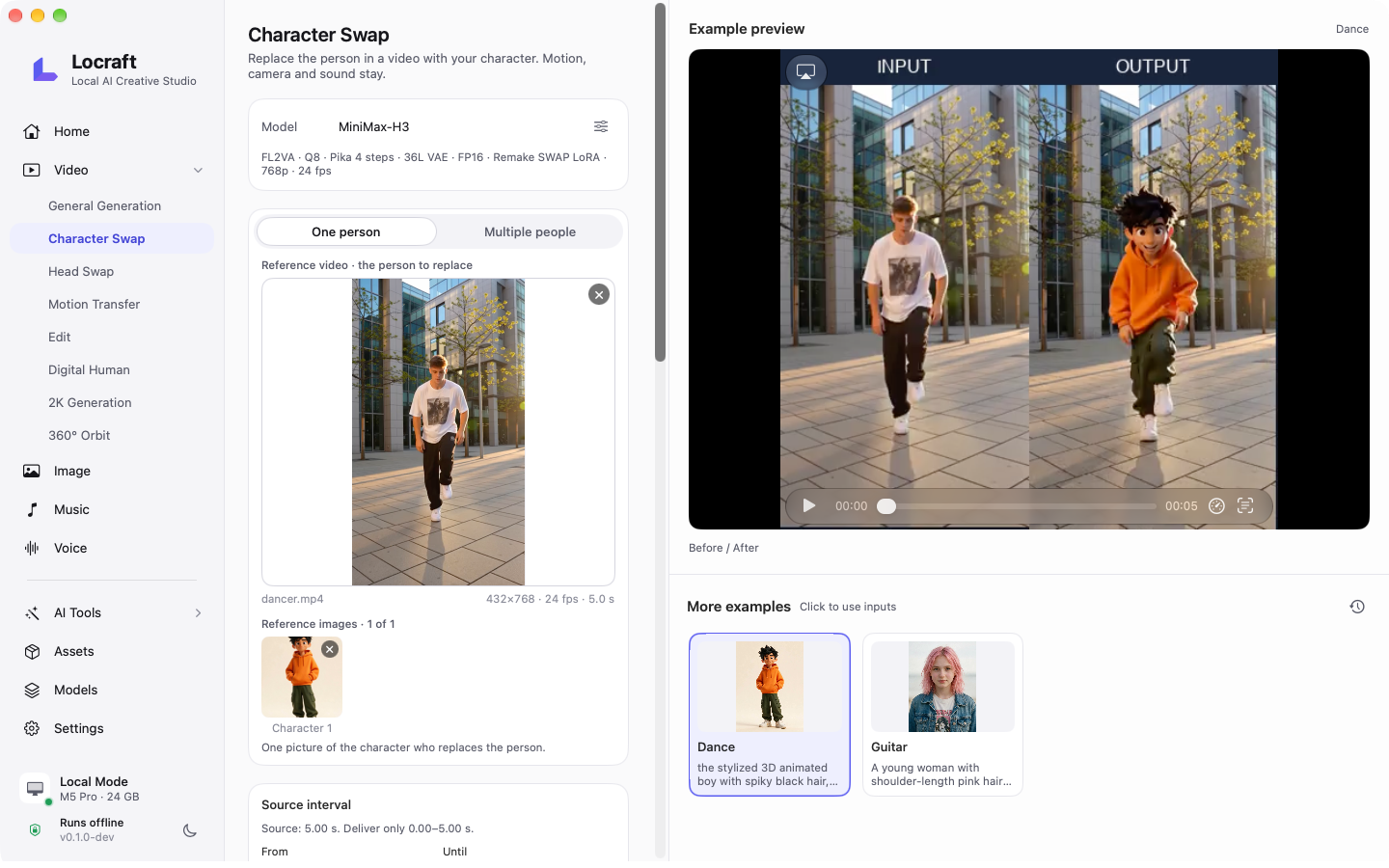
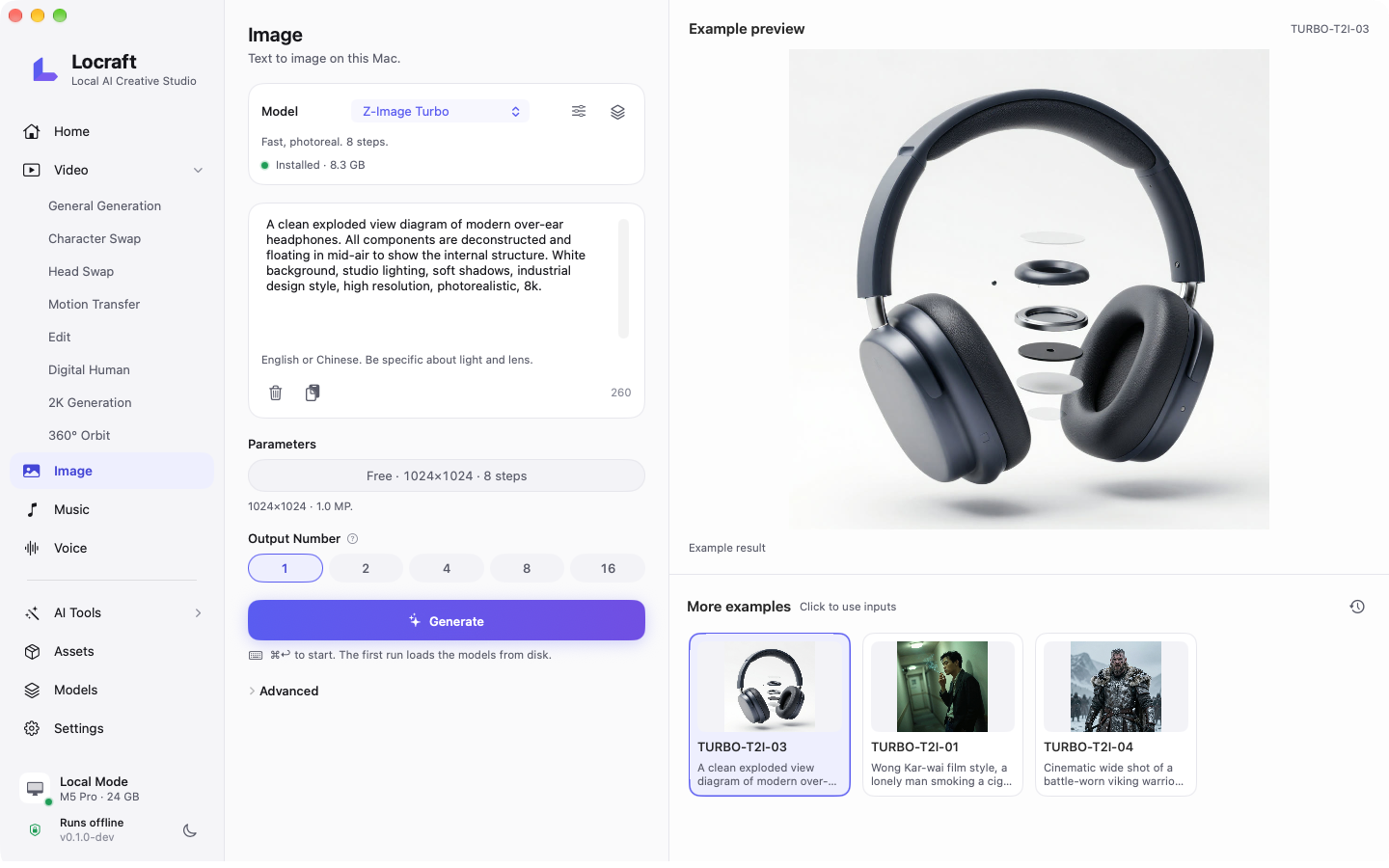
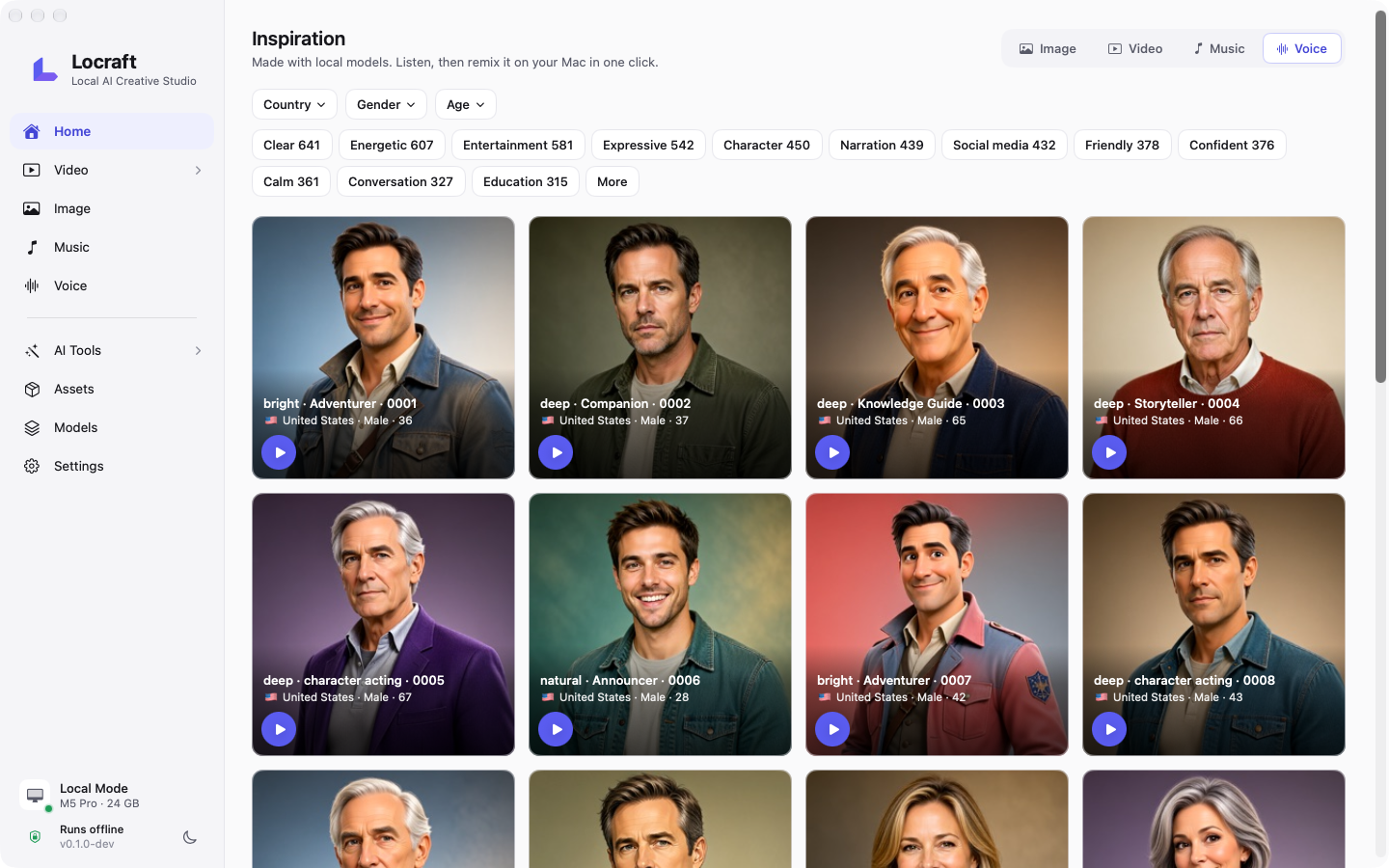
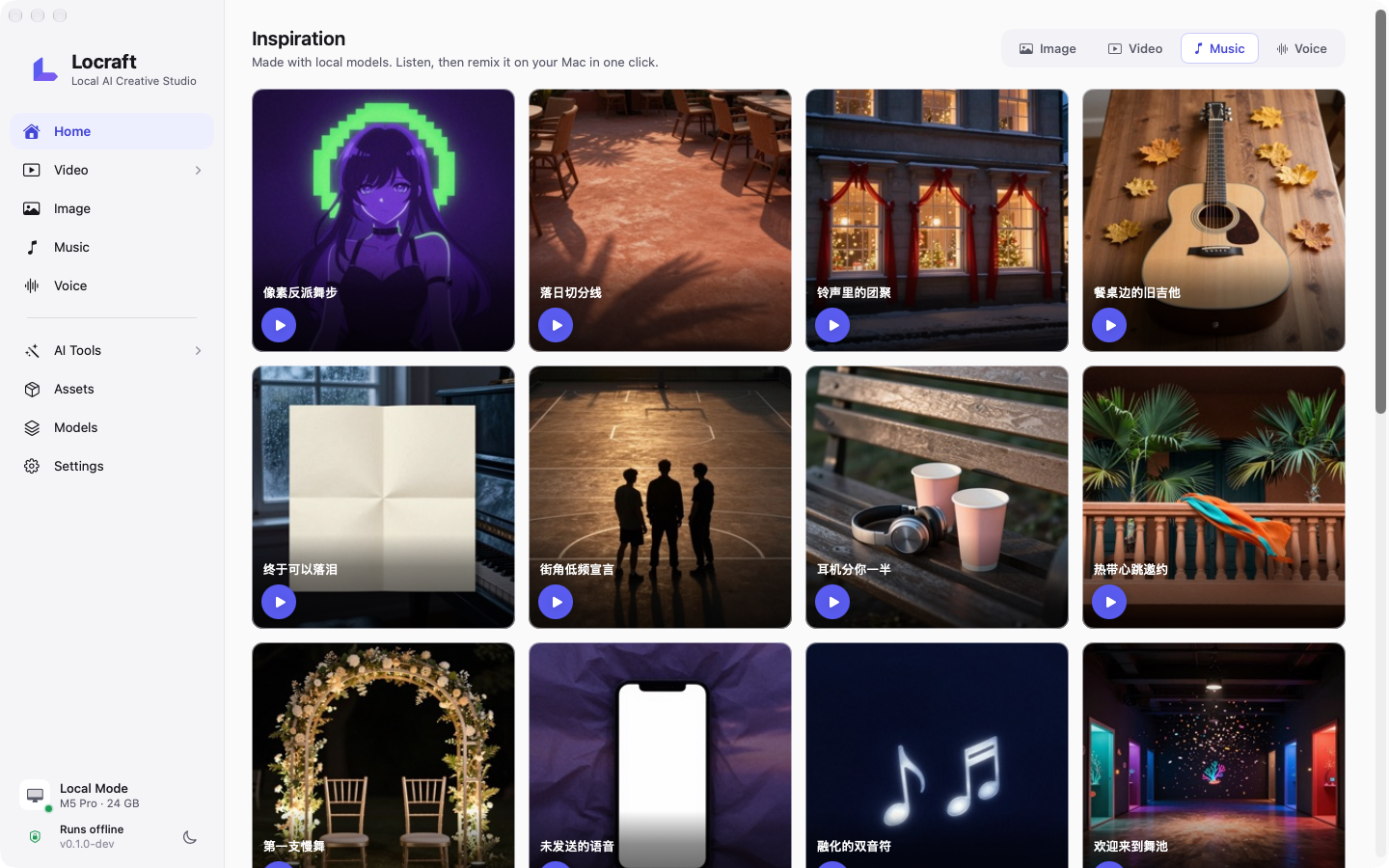
Video · Character swap, motion transfer, video edit
Swap the person. Move the character. Rebuild the world.
Each clip puts the source next to Locraft's result. All of them are templates in the app: open one, bring your own footage or character, and run it on your machine.
Character swap
Replace a person and keep their motion, timing and camera.
Motion transfer
Drive a pictured character with the moves from any clip.
Video edit
Rebuild the background, sky, light or effects around the action.
Video
Every way to make a shot.
Generate from a prompt or your own frames, or start from footage you already have. Each workflow is its own page with only the inputs it needs.
- Available
Text to video
Video and audio from a single prompt. Dialogue in quotes is spoken.
- Available
First frame
Animate a still into a clip that starts on your image.
- Available
First + last frame
Move between two keyframes you choose.
- Available
References
Keep people, objects or a voice consistent with image, video and audio references.
- Available
Character swap
Replace one or several people in a clip with your characters, keeping motion and framing.
- Beta
Head swap
Replace only the head and keep the body, outfit and scene.
- Beta
Motion transfer
Make a pictured character perform the moves from a reference clip.
- Available
Video edit
Change the scene, sky, lighting or effects while the action stays the same.
- Beta
Digital human
A talking or singing presenter from one portrait and an audio track.
- Beta
2K generation
Draft fast, then refine the same shot at 2560×1440.
- Beta
360° orbit
Circle the camera around a single frozen moment.
- Planned
Extend video
Continue an existing clip.
Image
Native 4K images. Seven models. Real editing.
MiniMax H3 Image renders 4096×3072 in one pass, with no upscaler in between. Six more image models sit next to it, and the editor changes outfits, scenes and people while keeping who they are.
 4096 × 3072
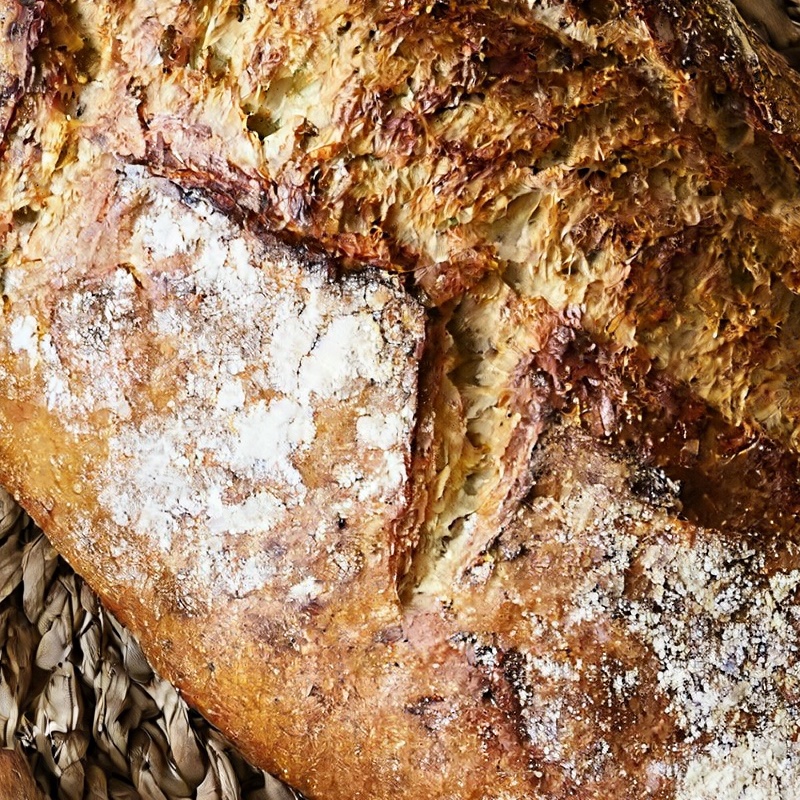 100% crop
Seven image models
Each image is a template made in Locraft with that model. Pick one to compare.





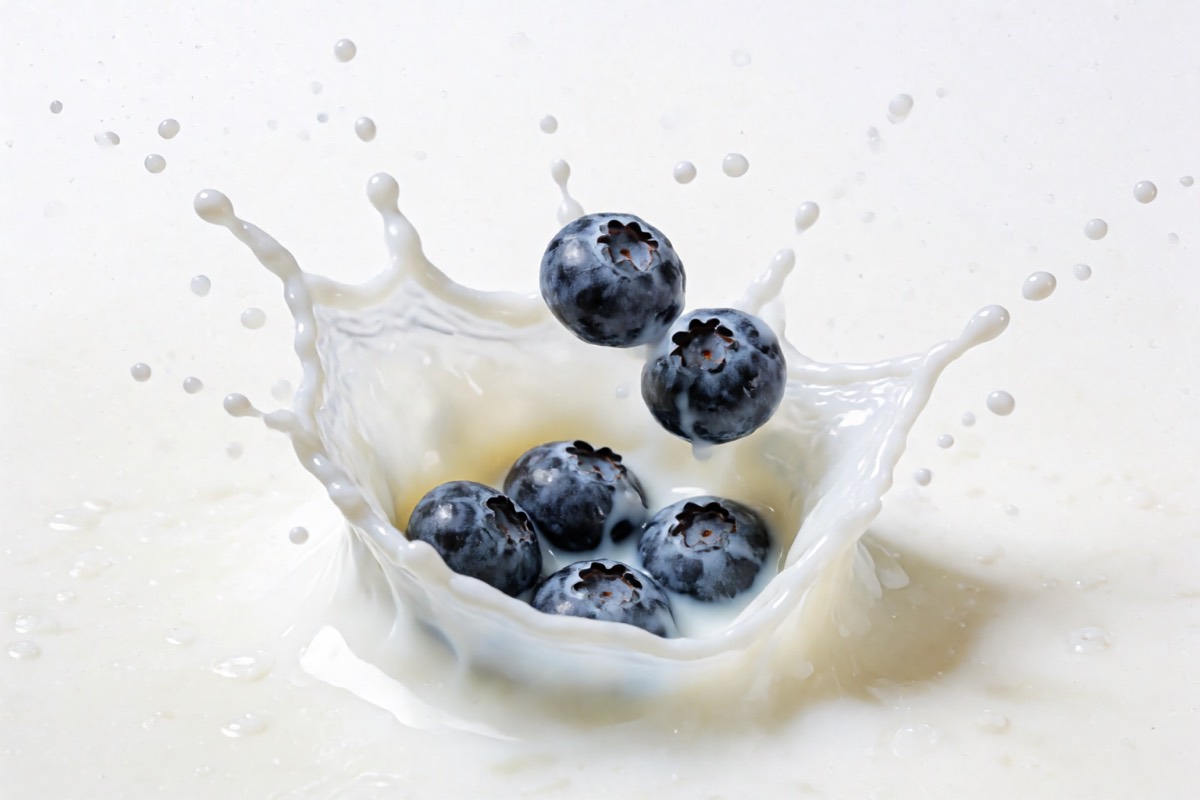

Image editing
Each loop shows the inputs, then Locraft's result. All six are templates you can run on your own photos.
-
A full-length portrait from a selfie -
One group photo from separate portraits -
Two portraits, one fantasy scene -
A new subject in the same scene -
The same person, a new place -
Restore and color an old photo
Voice & music
The voice-over and the soundtrack, made right here.
Write the line, pick or clone a voice, then score the cut with a full song. Speech and music run on the same native engine as video.
Voice generation and cloning
Qwen3-TTS and Fish Audio S2 Pro speak many languages. Start from hundreds of ready-made voices, filtered by language, gender and age, or clone a voice from a few seconds of audio you have the right to use.
- Clone from a short reference clip
- Hundreds of library voices
- Many languages, one prompt box
- Chinese, male

- English, female
- Japanese, male

- Spanish, female
- French, female

- Korean, male

Library voices, each speaking the same welcome line. Generated in Locraft with Qwen3-TTS.
Music generation
Full three-minute tracks with lyrics and vocals, or instrumentals. Every track and cover below was generated in Locraft.
- Café jazz-hop Instrumental · 3:00

- Guitar bachata Vocals in Spanish · 3:00
- French dream pop Vocals in French · 3:00

- K-pop two-step Vocals in Korean · 3:00

- Japanese art pop Vocals in Japanese · 3:00
- Prairie bar ballad Vocals in English · 3:00
ACE-Step 1.5 XL Turbo, 3 min each. Cover art: Z-Image Turbo.
AI tools
Upscale, then see the structure of every shot.
Super-resolution for stills and finished clips, plus depth and 3D body passes that guide the next generation. Eight tools, all on device.
Depth and 3D body
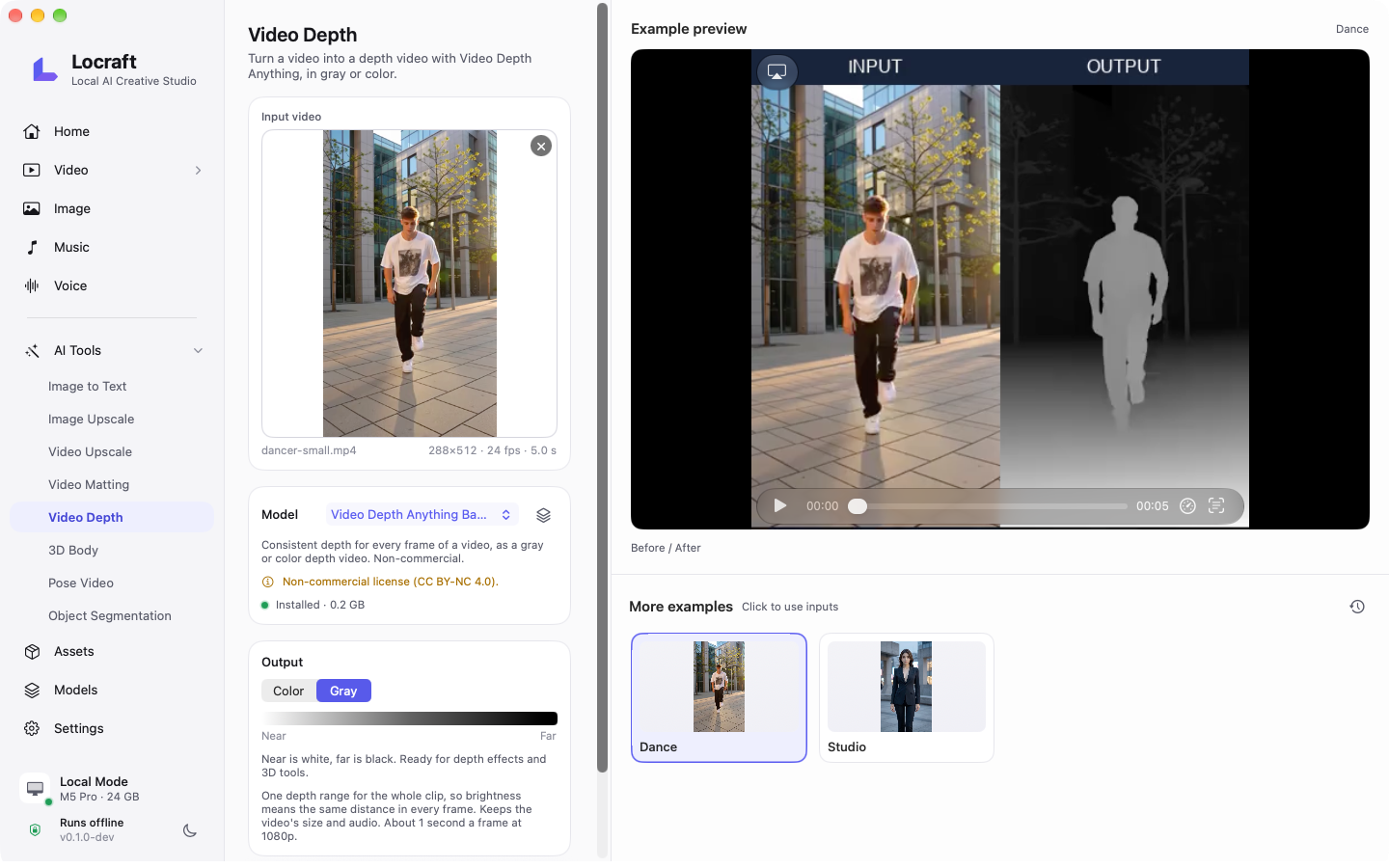
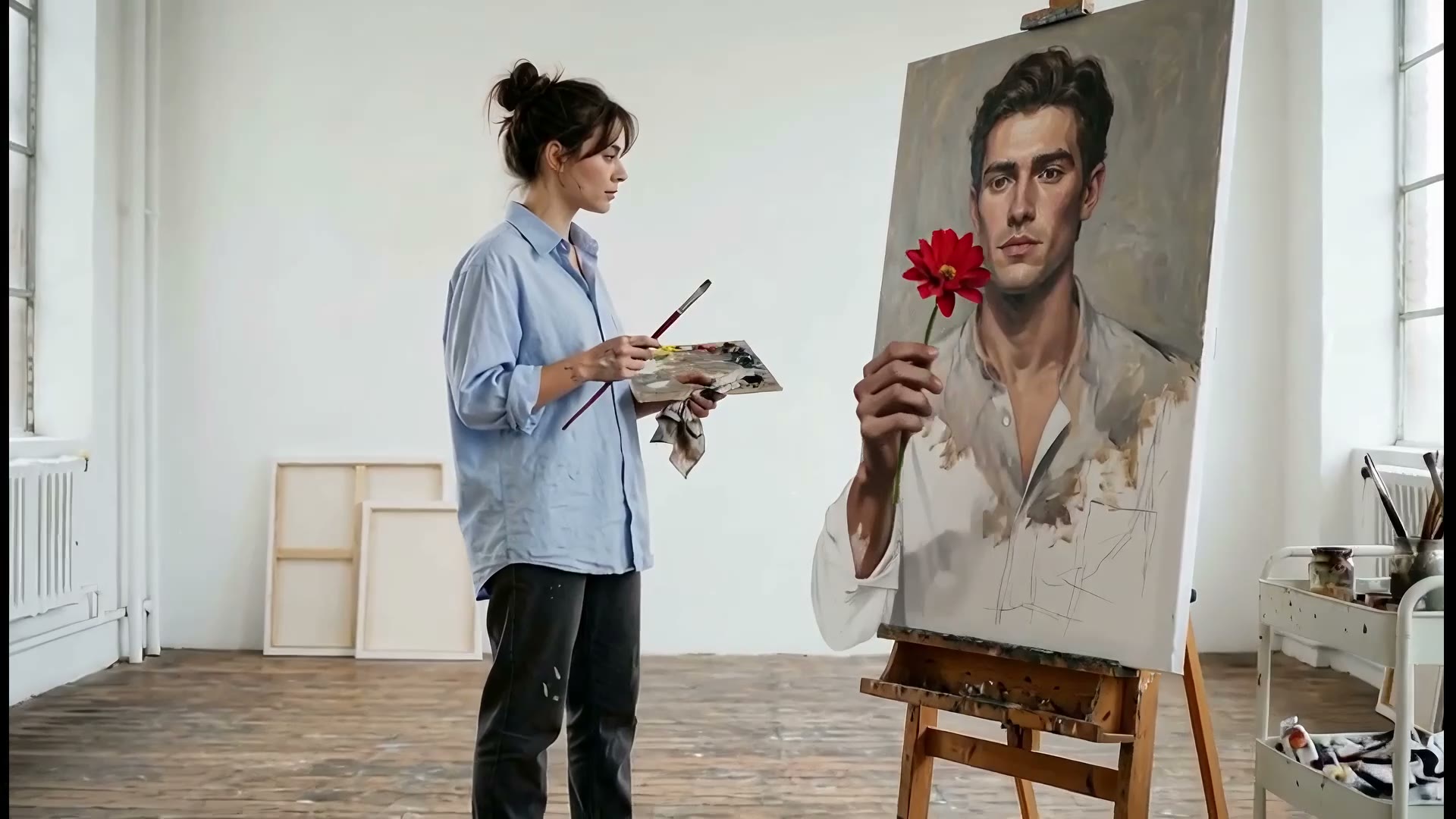
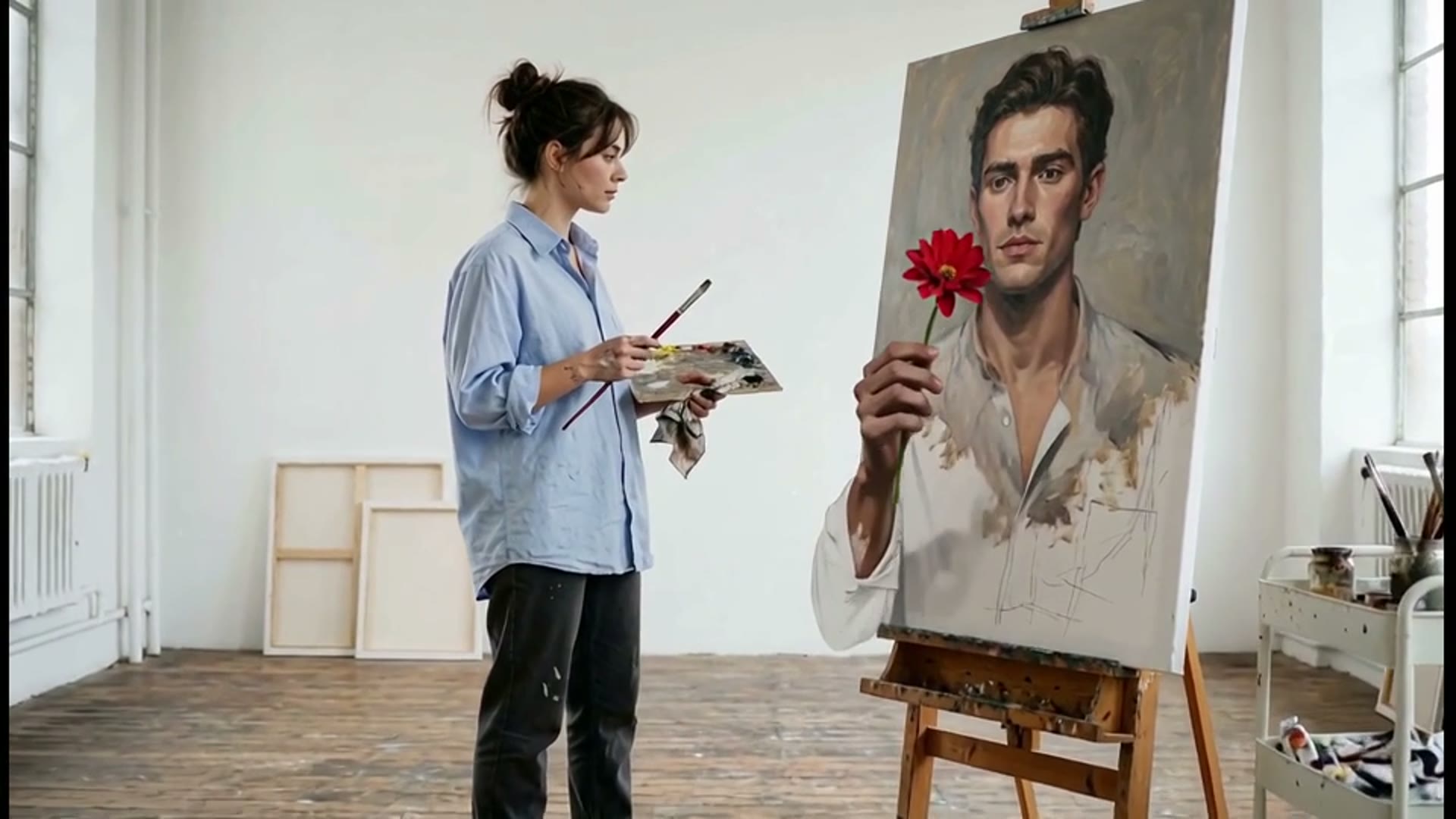
Turn any clip into a depth video or into 3D body meshes. Locraft uses the same passes to keep motion, pose and space when it rebuilds a scene.
-
Video depth
Video Depth Anything, in gray or color, stable from frame to frame.
-
3D body
SAM 3D Body turns every person into a mesh you can render on any backdrop.
- Available
Image upscale
2× or 4× with SeedVR2, Real-ESRGAN, UltraSharp or AnimeSharp.
- Available
Video upscale
2× or 4× with FlashVSR+, RECA, RelayVSR or per-frame models.
- Available
Image to text
Describe an image as a prompt with Qwen3-VL.
- Available
Video matting
Cut a person from the background with MatAnyone2.
- Available
Video depth
A depth video in gray or color.
- Available
3D body
Body meshes for every person in the clip.
- Available
Pose video
Skeletons on black, ready as a pose guide.
- Available
Object segmentation
Every object filled with its own color.
Native engine
One small app. Nothing else to install.
Locraft ships its own native inference engine, written in C++ with Metal on the Mac. There is no Python environment, no ComfyUI, no node graph and no dependency to repair after an update.
- app download
- 105 MB
- Python or ComfyUI dependencies
- 0
- model families, installed on demand
- 26
- platforms: macOS now, Windows & Linux next
- 3
-
Native engine
Install it like any other app. No Python, pip, CUDA toolkit or custom nodes to set up and keep working.
-
Small download
About 105 MB for the app. Models are separate, and you install only the ones you use.
-
Mac, Windows, Linux
macOS on Apple silicon is in early access. Windows and Linux versions are in development.
-
Local-first
Generation runs on your computer. Once models are installed, jobs work without a connection.
Platforms
- macOS Apple silicon · macOS 26
- Windows In development
- Linux In development
Development and the examples on this page: Mac mini, Apple M4, 16 GB, macOS 26.3. Speed depends on the model, resolution and storage; we will publish measured benchmarks with full methods before release.
What leaves your computer
- Generation
- On device. Prompts, references and outputs are not uploaded.
- Network
- Used to download models and templates, and to activate a license. None of these requests contain your work.
- Telemetry
- The current build sends no analytics or crash reports.
Powerful models. A calmer workflow.
-
Choose a workflow or a template
Video, image, voice, music or a tool. Each page shows only the inputs that workflow takes.
-
Add a prompt and references
Describe the shot and its sound. Add images, clips or audio where the workflow supports them.
-
Generate on your machine
The native engine runs the model on your GPU. Results land in your project folder with their settings.
Agent
A creative agent for the work between ideas and output.
Locraft is heading toward guided, multi-step creation: planning a shot, picking tools, organizing references and moving from one task to the next. None of this ships yet.
- Understand a creative goal in plain language Planned
- Suggest a workflow and model for it Planned
- Gather and organize references Planned
- Chain several video tasks Planned
- Run the queue and summarize the results Planned
Pricing
Early access is free. Pro will be a one-time purchase; the price is not set yet.
-
Early Access
Free during early access
- Every available workflow: video, image, music, voice
- All models in the in-app catalog
- Local generation, no account required
- Updates during the early access period
-
Pro
To be announced one-time purchase
- Everything in Early Access
- New workflows as they ship
- A license for your own Macs
- Priority support
Plans and features may change before release. Subscribers hear about pricing first. Already bought? Manage your license
Questions
Does Locraft run AI models locally?
Yes. Video, image, music and speech generation all run on your computer. The network is used to download models; after that, jobs work offline. If a cloud feature is ever added, it will be labeled in the app.
Which platforms are supported?
Today, Macs with Apple silicon running macOS 26 or later. Windows and Linux versions are in development; subscribe to hear when they open. We will publish minimum and recommended memory per workflow once more devices are validated.
Do I need ComfyUI or Python?
No. Locraft ships its own native engine, so there is no Python environment, ComfyUI or node graph to install or repair. The app is about a 105 MB download; you choose models inside it and it downloads and verifies them. You need enough free disk space for the models you pick.
Are models included?
Models download on demand, not with the app. Sizes range from about 2 GB for speech to about 113 GB for the full video model. Fast internal storage matters: loading from a slow external drive makes jobs several times slower.
Can I use the results commercially?
It depends on the model license, your inputs and local law. Some models, such as Fish Audio S2 Pro, are non-commercial. Locraft's own license does not extend any model's terms.
Is Locraft free?
Early access is free. Pro will be a one-time purchase, and the price will be announced before release.
Does Locraft upload my files?
No. Prompts, references and outputs stay on your computer. The app goes online only to download models and templates and to activate a license; these requests never contain your work. The current build has no analytics or crash reporting. This website uses cookie-free Vercel Web Analytics for page views.
Make room for more creative experiments.
Bring your ideas, references and workflows into one local AI studio.
macOS on Apple silicon today; Windows and Linux in development. Model availability and speed vary by device.